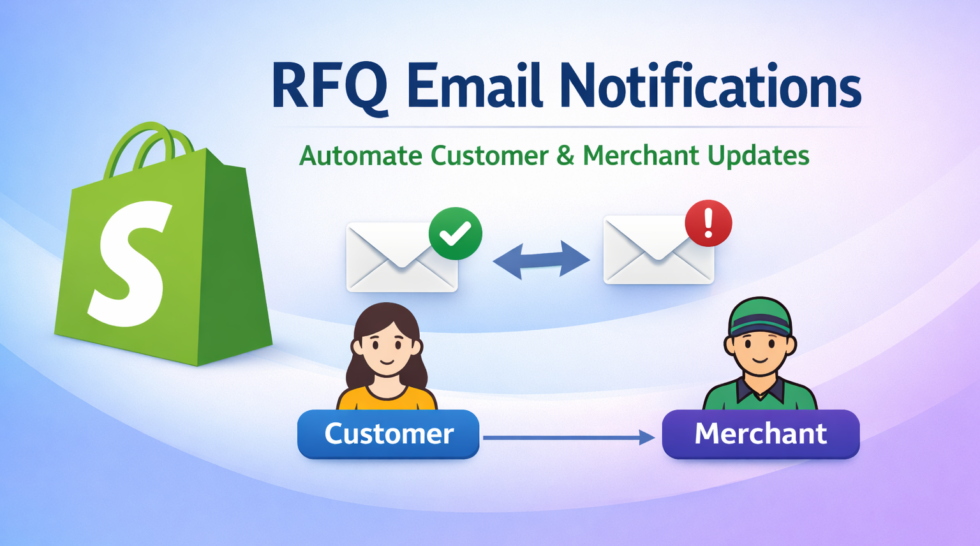
Email communication is a critical part of any Request for Quote (RFQ) workflow. With Huskify – Request For Quote, both merchants and customers stay updated in real-time through automated email notifications—ensuring a smooth and professional quoting experience.
📩 How Email Notifications Work
Huskify automatically sends email notifications at every important stage of the quote process:
1. When Customer Requests a Quote
- An email is sent to the customer to confirm their request.
- An email is also sent to the merchant with full quote details.
2. When Merchant Responds to a Quote
When the merchant takes action, the customer is notified instantly:
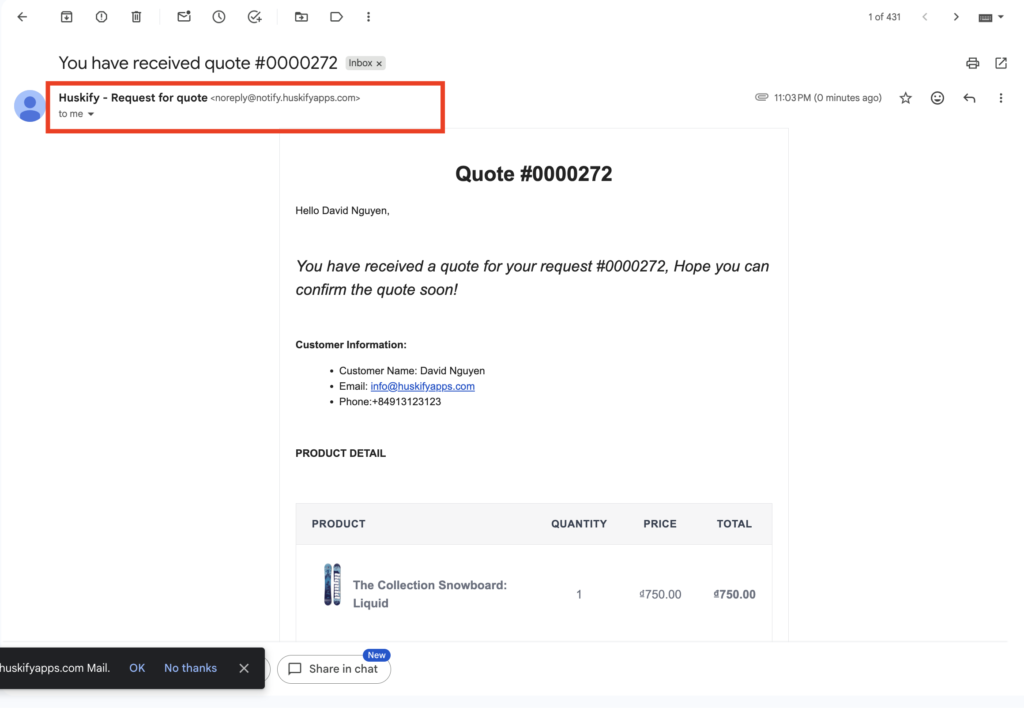
- Send Quote → Customer receives the quotation email.
- Confirm Quote → Customer is notified that the quote is approved.
- Reject Quote → Customer is informed if the quote is declined.
3. When Customer Responds to a Quote
If the customer confirms or rejects the quote, the merchant will receive an email notification immediately.
This two-way communication ensures both sides are always informed without needing manual follow-ups.
⚙️ Email Notification Settings
Huskify is designed to be simple yet flexible when it comes to email configuration.
✅ Automatic Email Setup
- After installing the app, email notifications are enabled by default.
- No technical setup is required to start sending emails.
📧 Custom SMTP Configuration
- Merchants can configure SMTP settings to send emails from their own domain.
- This improves branding and email deliverability.
- 👉 You can learn more in our SMTP guide on your store.
🔘 Enable/Disable Notifications
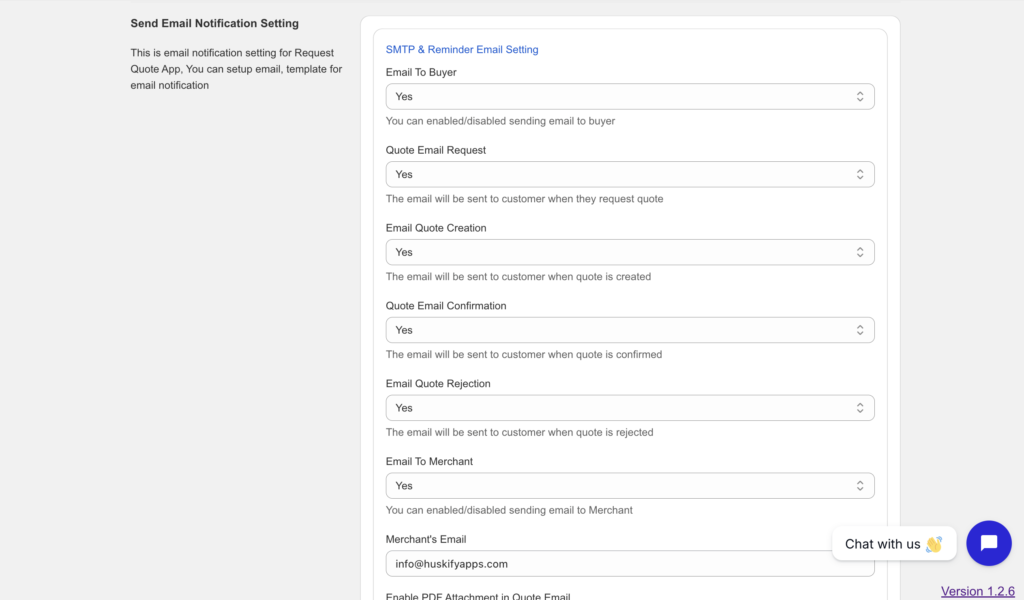
Easily turn on/off email notifications for:
- Customers
- Merchants
👥 Multiple Merchant Emails
- Add multiple email addresses to receive notifications when a customer submits a quote request.
- Perfect for teams handling sales or customer support.
🎨 Customize Email Templates
Huskify gives you full control over how your emails look and feel.
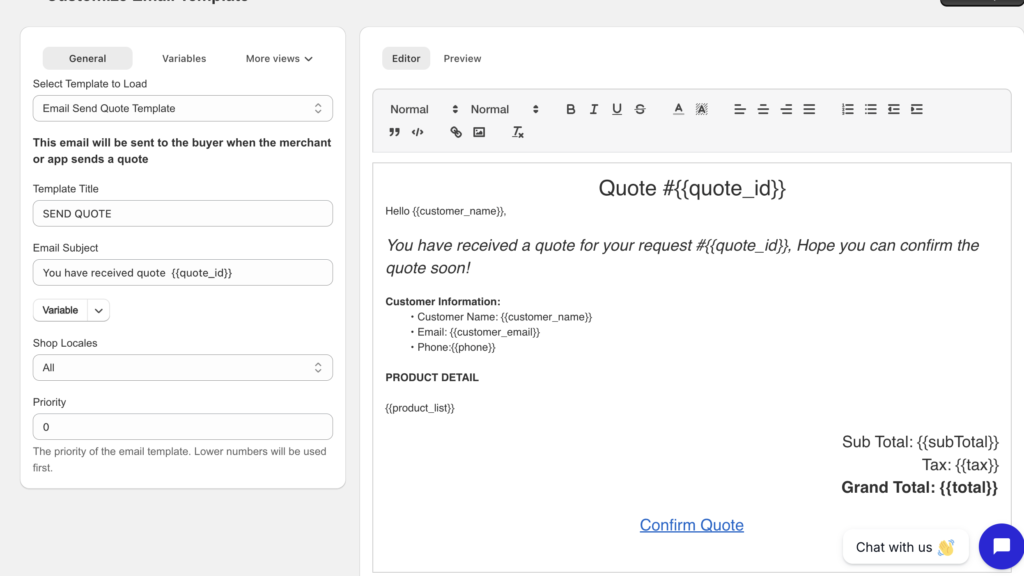
Option 1: Default Editor (No Coding Required)
- Easy-to-use email editor
- Customize content like writing a normal email
- Perfect for non-technical users
- Quickly adjust text, message, and basic layout
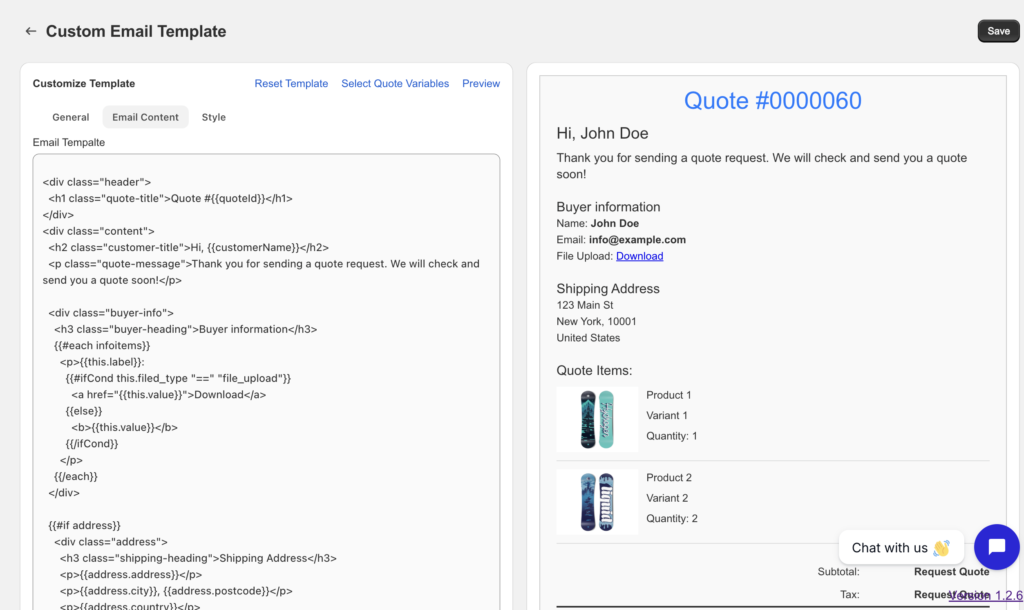
Option 2: Advanced Customization (HTML & CSS)
- Full control over email design
- Customize layout, colors, branding, and structure
- Ideal for developers or advanced users
- Create fully branded and professional email templates
🚀 Why Email Notifications Matter
- Improve customer trust with instant responses
- Keep your sales team updated in real time
- Reduce manual communication
- Ensure no quote request is missed
With Huskify, your RFQ process becomes faster, more reliable, and fully automated.